Keyboard Shortcut Keys and Functions
F1
- Almost always used as the help key, almost every program will open the help screen when this key is pressed.
- Enter CMOS Setup.
- Windows Key + F1 would open the Microsoft Windows help and support center.
- Open the Task Pane.
Read More....
F2
- In Windows commonly used to rename a highlighted icon or file.
- Alt + Ctrl + F2 opens document window in Microsoft Word.
- Ctrl + F2 displays the print preview window in Microsoft Word.
- Enter CMOS Setup.
F3
- Often opens a search feature for many programs including Microsoft Windows.
- In MS-DOS or Windows command line F3 will repeat the last command.
- Shift + F3 will change the text in Microsoft Word from upper to lower case or a capital letter at the beginning of every word.
F4
- Open find window.
- Repeat the last action performed (Word 2000+)
- Alt + F4 will close the program currently active in Microsoft Windows.
- Ctrl + F4 will close the open window within the current active window in Microsoft Windows.
F5
- In all modern Internet browsers pressing F5 will refresh or reload the page or document window.
- Open the find, replace, and go to window in Microsoft Word.
- Starts a slideshow in PowerPoint.
F6
- Move the cursor to the Address bar in Internet Explorer and Mozilla Firefox.
- Ctrl + Shift + F6 opens to another open Microsoft Word document.
F7
- Commonly used to spell check and grammar check a document in Microsoft programs such as Microsoft Word, Outlook, etc.
- Shift + F7 runs a Thesaurus check on the word highlighted.
- Turns on Caret browsing in Mozilla Firefox.
F8
- Function key used to enter the Windows startup menu, commonly used to access Windows Safe Mode.
F9
- Opens the Measurements toolbar in Quark 5.0.
F10
- In Microsoft Windows activates the menu bar of an open application.
- Shift + F10 is the same as right-clicking on a highlighted icon, file, or Internet link.
- Access the hidden recovery partition on HP and Sony computers.
- Enter CMOS Setup.
F11
- Full-screen mode in all modern Internet browsers.
- Ctrl + F11 as computer is starting to access the hidden recovery partition on many Dell computers.
- Access the hidden recovery partition on eMachines, Gateway, and Lenovo computers.
F12
- Open the Save as window in Microsoft Word.
- Shift + F12 save the Microsoft Word document.
- Ctrl + Shift + F12 prints a document in Microsoft Word.
- Preview a page in Microsoft Expression Web
- Open Firebug.
Created at 2012-06-27 10:40
Back to posts
UNDER MAINTENANCE


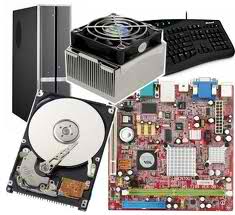


 Troubleshooting Motherboard